Start a Bid: Upload Plans and Answer a Few Questions
Click New bid in the top menu. The page is one form, top to bottom. Plan on about 5 minutes.
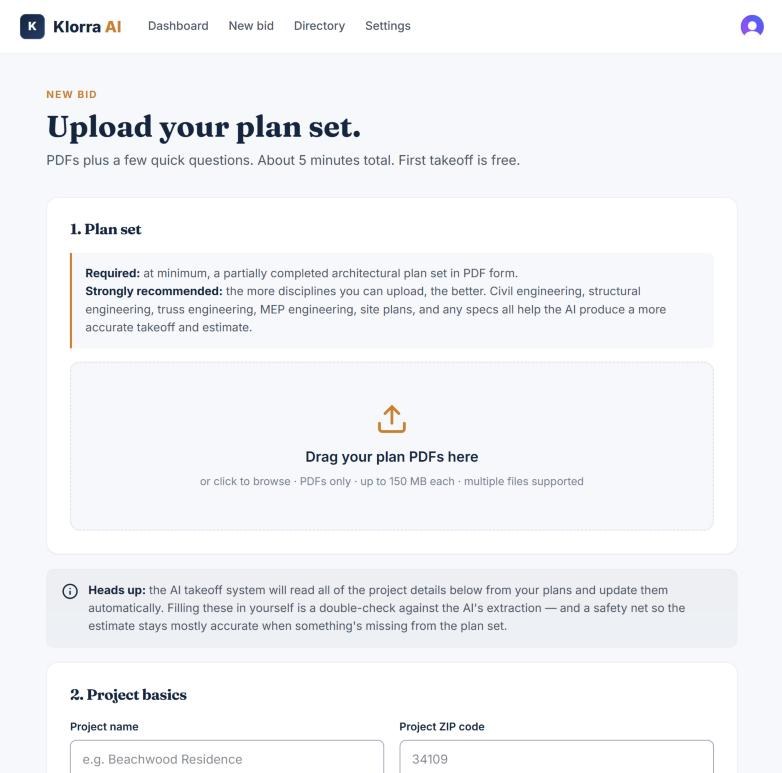
1. Upload the plan set
Drag your PDFs onto the box or click to browse.
- Minimum: an architectural set, even a partly finished one.
- Better: everything you have. Structural, truss, civil, MEP, site plans and specs all make the takeoff and the conflict report sharper.
- Limits: PDFs only, up to 150 MB per file, 500 MB total, 10 files.
- Password-protected PDFs can't be read. Remove the password first.
2. Answer the intake questions
Klorra reads all of this from your plans too. Filling it in gives it a check against what it reads, and a safety net when a sheet is missing.
Required:
- Project name and ZIP code
- Lot size and project type
- Target start
- A/C and gross square feet
- Bedrooms, bathrooms and stories
- Overall finish level
- Whether to include window trim
The submit button reads Complete all fields above until every required field is filled.
Optional, but worth a minute:
- Site conditions and foundation: flat or sloped, coastal, wetland, tree removal; slab, stem wall or pilings; how high the first floor sits above grade; stormwater and pool scope.
- Special features: generator, solar, outdoor kitchen, wine room, sauna, fireplace, specialty plumbing and more.
- Specialty systems: PV size, batteries, central vacuum, smart-home level, HOA review fee.
- Builder fee: leave it blank to use your account default (or 20% if you haven't set one).
3. Set the level of finish
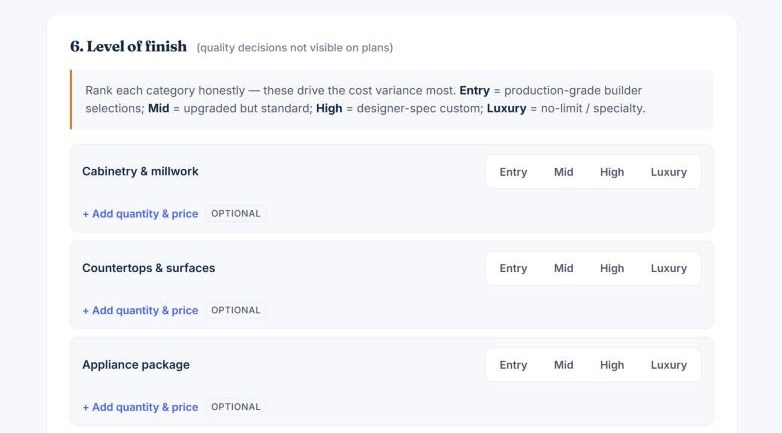
Rate each category Entry, Mid, High or Luxury. These are the decisions plans don't show, and they move the number more than anything else on the form. Be honest. A "High" kitchen in a "Mid" house is common, and the estimate should reflect it.
4. Notes for the estimator
Anything the plans don't say: the client's must-haves, a known site issue, an allowance you always carry. Write it the way you'd brief your own estimator.
5. Submit
Click Submit for takeoff →. One bid comes off your balance, you get a "We got your plans" email, and you're taken to the progress screen.
If you're out of bids, a banner offers Buy another bid or Upgrade plan. See Plans, billing and settings.
Next: While your bid runs.
Klorra deliverables are budgeting and planning tools, not warranted bids. Every quantity and rate is the builder's responsibility to verify before commercial use. Terms §3.